
09.7.2026 PropStream
Disclaimer: PropStream does not offer legal advice. This article is for informational purposes only. Consult a legal professional before cold calling real estate prospects.
|
Key Takeaways:
|
It’s one thing to identify a prospect. It’s another thing to actually connect with them. With PropStream’s Click-to-Dial and Dialer Campaign features, you can now go from finding leads and their contact information to calling them on the phone without leaving the platform.
In this article, we’ll explain how these features work, when to use them, and more.
Table of Contents |
What Is Click-to-Dial in PropStream?
Click-to-Dial is a built-in softphone feature inside PropStream. It lets you call prospects directly from the My Properties, My Contacts, and Property Details pages.
Here’s how it works: When you click a prospect’s phone number, a built-in softphone window opens, and the system immediately places a live call (if multiple phone numbers are available, they’ll be ranked by likelihood of reaching the correct contact). From there, you’ll receive AI-powered prompts on-screen to help guide the conversation.
Note: Click-to-Dial is available on Pro and Elite Plans and to PropStream Connect subscribers. If you’re not on one of these plans, the phone numbers you see won’t be clickable.
What Are Dialer Campaigns?
Dialer Campaigns are a new type of marketing campaign within PropStream, alongside email and postcard campaigns. Instead of dialing leads individually across different screens, you can save lead lists to dialer campaigns and systematically go through the whole lead list.
Here’s how it works:
-
First, click an already skip-traced list of properties from the My Properties tab.*
-
Then click New Campaign on the top navigation bar, followed by Dialer.
-
This will launch a structured outbound calling campaign in a dashboard view.
You can then review each contact’s ownership and property information, click Call or assign calls to team members, and update internal notes and tags.
Note: If no phone numbers are available for the selected properties, a pop-up will appear prompting you to skip trace the list before starting your Dialer Campaign.*
As the campaign progresses, you can monitor its performance on the Campaign Overview screen, from which you can quickly see the:
- Campaign start date
- Most recent call activity
- Total number of leads in the campaign
- Number of leads successfully contacted
- Overall campaign progress
Pro Tip: Use the Push to BatchDialer feature to sync leads instantly via native API, bypassing manual data entry for high-volume, multi-line calling. This integration enables you to scale your outreach with advanced tools like local presence dialing, automated follow-up sequences, and real-time team coaching.
Best Use Cases for Click-to-Dial and Dialer Campaigns
Now that you have a basic understanding of how Click-to-Dial and Dialer Campaigns work, let’s explore four different scenarios and which tool best suits each.
Use Case 1: Instant Follow-Up on New Leads
Imagine you find a promising new lead. Instead of waiting to reach out to them as part of a larger marketing campaign, you want to contact them immediately.
This is an ideal use case for Click-to-Dial, which lets you immediately call the new prospect after skip tracing their contact information.* Anytime you get fresh leads or high-intent opportunities that depend on quick outreach, use Click-to-Dial.
Use Case 2: Working a Targeted Short List
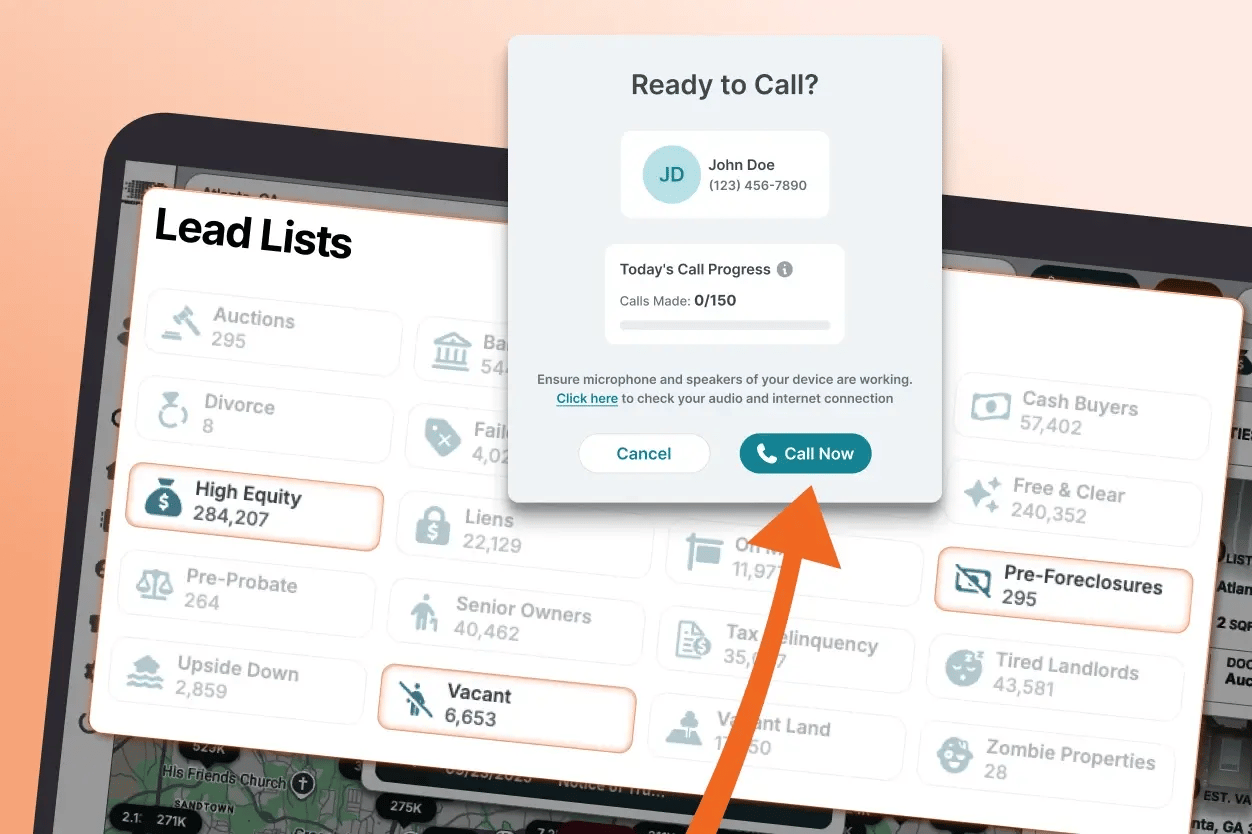
PropStream lets you filter leads based on specific selling motivations, such as high equity, pre-foreclosure, and absentee ownership. This often results in short, high-quality lists that require more personalized outreach.
In this case, the Click-to-Dial button can be a great way to call qualified prospects after reviewing all their property and ownership information on the same screen.
Use Case 3: Running Structured Outreach Campaigns
When you have a larger lead list that exceeds 150 contacts and/or requires a more systematic outreach approach, launch a Dialer Campaign. This lets you assign calls to different team members, stay organized, track your performance, and ensure no leads fall through the cracks.
Use Case 4: Follow-Up and Nurturing
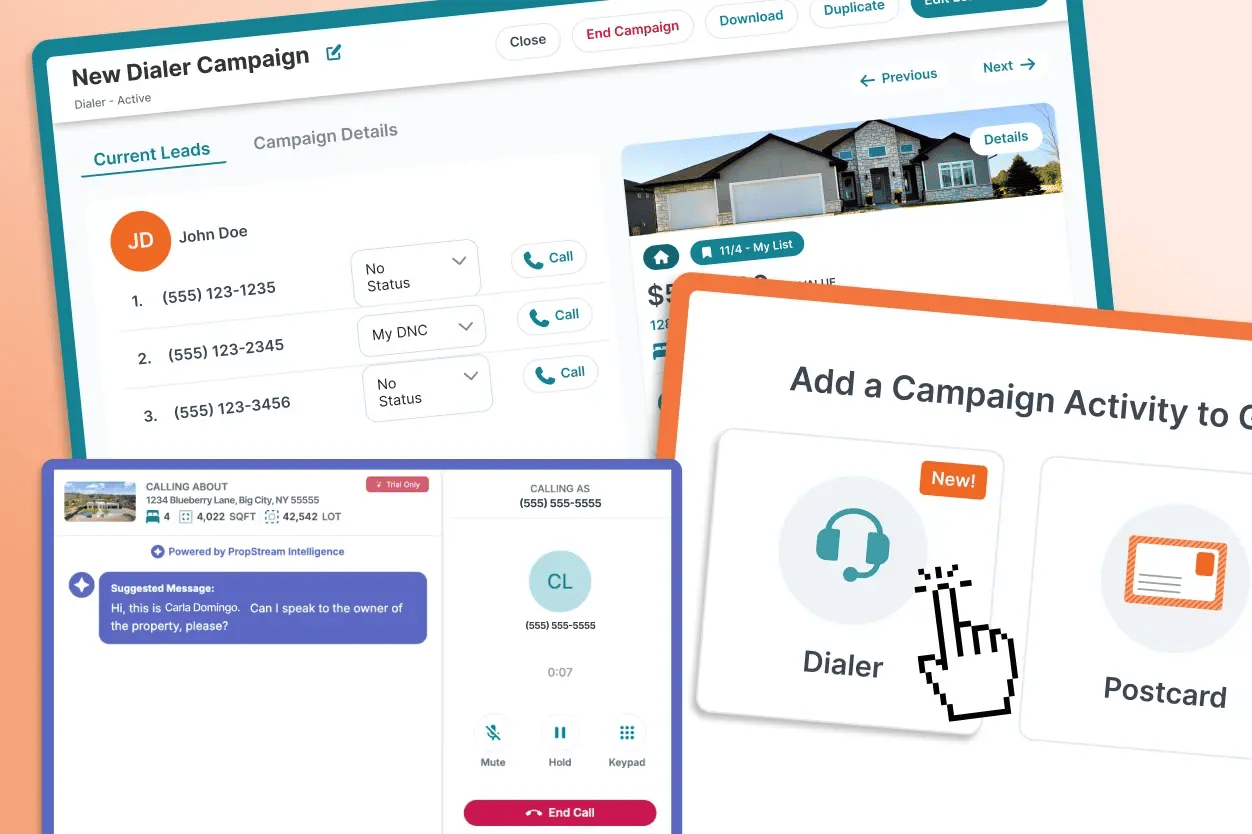
Finally, when you follow up with leads you’ve already contacted, it’s best to do it via Dialer Campaign. That way, you can track conversations and next steps with tags and notes, avoid duplicate outreach, and assign calls to team members without risking redundant talking points.
Staying Compliant Is Not Optional
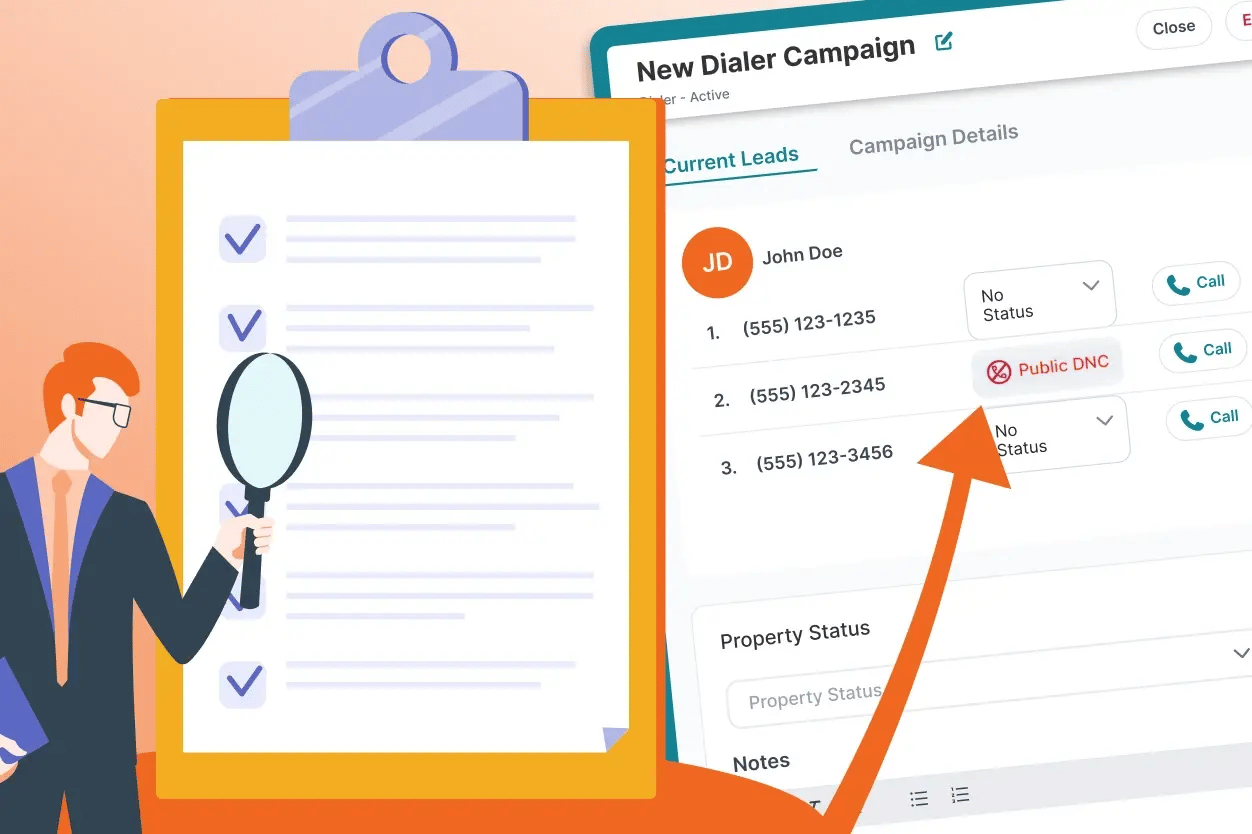
That said, it’s important to comply with telemarketing regulations, whether you use the Click-to-Dial or Dialer Campaign feature. Otherwise, you could not only face legal challenges but also receive spam labels that destroy your answer rates.
|
For instance, the Telephone Consumer Protection Act (TCPA) requires:
|
Fortunately, Click-to-Dial and Dialer Campaigns help support compliance with these and other regulations. For example, PropStream’s skip tracing feature includes DNC and litigator flags to help you avoid calling leads who don’t want to be contacted.*
To avoid compliance violations, follow these best practices: respect call time restrictions, maintain a DNC list, always identify yourself clearly, and keep up with telemarketing rules.
How Click-to-Dial Enables a Faster Lead-to-Deal Workflow
Click-to-Dial accelerates the process of connecting with new leads, eliminating the manual effort of dialing numbers and logging call results elsewhere. This efficiency is critical when you need to act quickly on time-sensitive opportunities.
Whether you’re a solo agent or part of a small team, PropStream’s Click-to-Dial and Dialer Campaign features are all you need to make up to 150 calls per day (for more than 150 calls per day, use the Push to BatchDialer feature).
Either way, PropStream helps eliminate the hassle of managing multiple tools so you can scale your outreach without a large team. Use its Click-to-Dial and Dialer Campaigns to act faster, stay organized, and turn property information into real opportunities.
*PropStream engages an independent third party to perform skip-tracing.