PropStream Direct Mail
Real Estate Direct Mail, Built Into Your Workflow
Turn your property research into direct mail campaigns without switching between platforms. PropStream Direct Mail gives real estate professionals customizable mail formats, flexible campaign types, delivery tracking, and campaign management—all in one place.
Get everything you need to run direct mail campaigns:
- Customizable Postcards & Letters
- Wide selection of designs to choose from
- Single Send & Multi Send Campaigns
- A/B Split Testing
- Personalized Mail With Merge Fields
- Delivery & Return Tracking
- Built-In Campaign Management
- Regular and First Class mailing options
How Direct Mail Works in PropStream
Choose the Right Mail Format
Different campaigns call for different types of mail. PropStream Direct Mail gives you multiple formats and sizes to help you create outreach that fits your message.
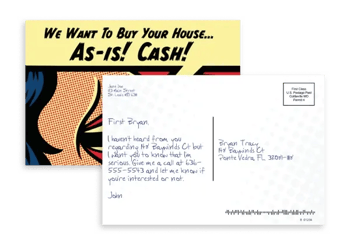
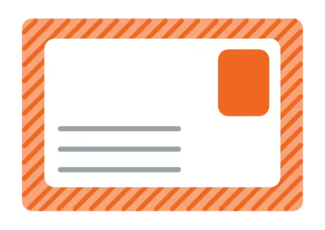
Postcards
Create customizable postcards using PropStream's built-in
design tools.
Available in 4x6 and 6x9 sizes.
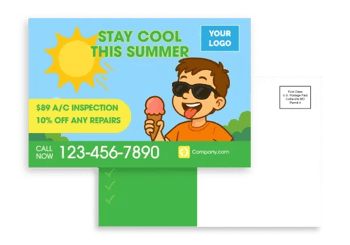
Home Services Postcards
Promote services such as roofing, landscaping, pool maintenance, and other property-related services.
Available in 4x6 and 6x9 sizes.
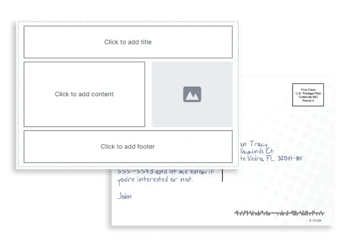
Design Your Own
Start with a blank canvas and create a custom postcard using the Direct Mail Design Studio.
Available in 4x6 and 6x9 sizes.
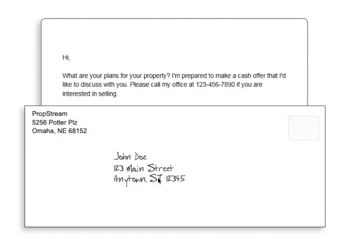
Standard Folded Letters
Give your message more room with a traditional folded letter format.
Available in 8.5x11.
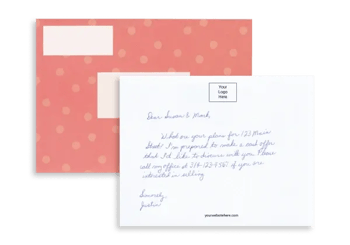
Greeting Letters
Add a personal touch with a greeting letter featuring a handwritten-style envelope and label.
Available in 5x7.
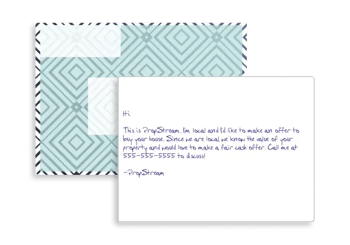
Hybrid Letters
Combine a printed envelope with a handwritten-style insert.
Available in 5x7.

Classic Postcards
Prefer the previous Direct Mail experience? Classic postcard designs are still available and editable.
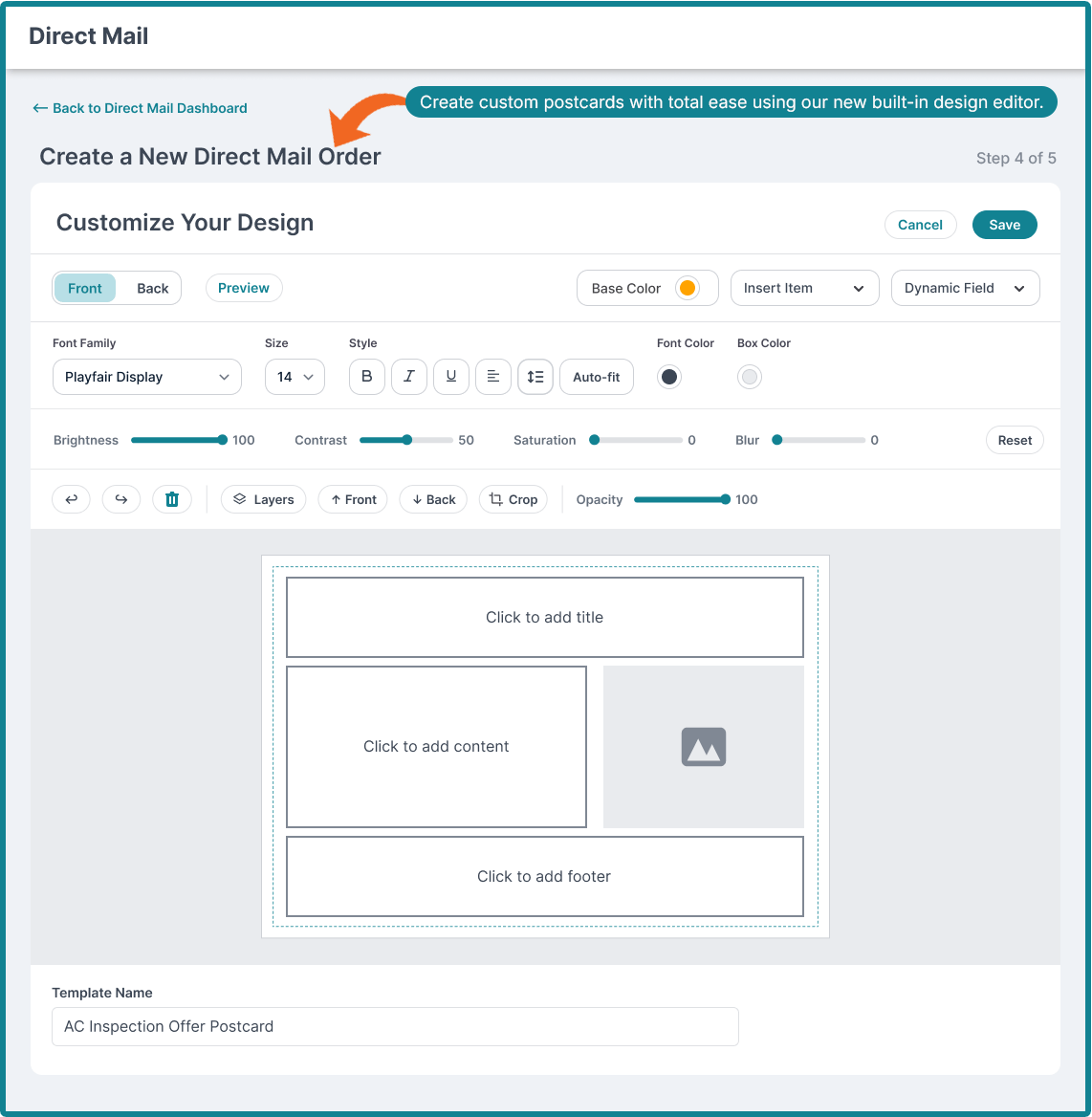
Create professional postcard designs without leaving PropStream
Create Custom Mail With the Direct Mail Design Studio
The built-in Design Studio lets you customize:
- Text, fonts, colors, and alignment
- Images and logos
- Icons, shapes, and dividers
- Front and back postcard layouts
- Dynamic merge fields
- Layers and visibility
- Reusable templates
Personalize Your Mail
Use merge fields to automatically add recipient-specific information, such as:
- Owner Name
- Property Address
- City
- ZIP Code
- Phone
Save completed designs as reusable templates in My Templates or use them for a single campaign.
Choose How You Want to Send
Single Send
Send a One-Time Mailer
Send a single mail piece to a list without setting up a longer sequence.
Best for: One-time outreach, smaller campaigns, or testing a list.
Minimum: 1 recipient

Multi Send
Build a Consistent Mail Sequence
Schedule multiple mail drops to the same list over a set period. Choose the number of sends and intervals that fit your campaign.
Best for: Ongoing outreach and consistent follow-up.
Minimum: 1 recipient

A/B Split Test
Send two versions of a mail piece to different portions of the same list to compare messaging, designs, formats, or other campaign variables.
Minimum: 2 recipients
For more meaningful comparisons, PropStream recommends approximately 300–500 recipients per variant.
Send Mail to the Right Address
The property address isn't always the owner's mailing address.
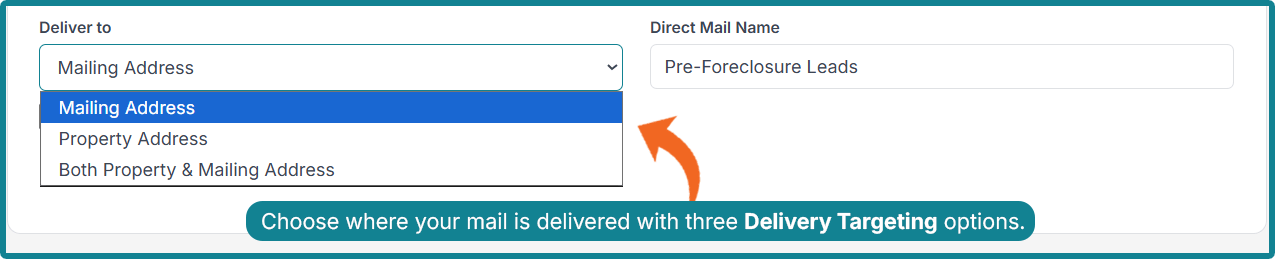
With PropStream Direct Mail, you can choose to send mail to:
- Property Address
- Mailing Address
- Both
You can also enable Remove Duplicate Addresses to consolidate duplicate mailing destinations before your final recipient count and pricing are calculated.
Follow Campaign Progress
Delivered campaigns also provide additional insights, including delivery percentage, scan percentage, Return to Sender rate, and remaining pieces.
Manage Returned Mail
From your Direct Mail Dashboard, you can:
- Review returned recipients
- Add addresses to a suppression list
- Add recipients to a marketing list
- Skip trace returned addresses for additional contact information
Note: PropStream engages an independent third party to perform skip tracing.
| ntx Feature | Standard Mail | First-Class Mail |
|---|---|---|
| Delivery Speed | Slower | Faster |
| Cost | Lower | Higher |
| Return to Sender (Physical Mail) | Unavailable | Available |
| Return to Sender Stats | Available | Available |
| Large Minimum Order Required* | No | No |
| Automatic Forwarding | No | Yes |
| Best For | Cost-conscious campaigns without urgent delivery needs | Time-sensitive campaigns |
Returned to Sender (RTS) means a mail piece could not be delivered and was returned.
Direct Mail Pricing
PropStream Direct Mail offers flexible campaign sizes with no large minimum order requirement for Single Send campaigns.
| Mail Type | Standard Class (Starting At) | First-Class (Starting At) |
|---|---|---|
| Postcards | $0.57 each | $0.59 each |
| Letters | $0.85 each | $1.25 each |
Pricing may vary based on your campaign configuration, recipient count, mail size format, and applicable postal rates.
FAQs
What mail formats are available?
PropStream Direct Mail supports postcards, Home Services postcards, Design Your Own postcards, standard folded letters, greeting letters, hybrid letters, and Classic postcard designs.
Can I customize my direct mail?
Yes. Printed postcard templates can be customized using the Direct Mail Design Studio. You can modify text, images, logos, shapes, colors, fonts, and other available design elements.
What are merge fields?
Merge fields automatically populate recipient-specific information, such as the owner's name, property address, city, ZIP code, or phone number.
What's the difference between Single Send, Multi Send, and A/B Split Test?
Single Send is a one-time mailer.
Multi Send lets you schedule multiple mail drops to the same list over a set period.
A/B Split Test lets you compare two versions of a mail piece by sending different variants to separate portions of the same list.
Where can I send my mail?
You can send mail to the property address, mailing address, or both. You can also remove duplicate addresses before your final recipient count is calculated.
What does Returned to Sender mean?
Returned to Sender, or RTS, means a mail piece could not be delivered and was returned. You can review RTS recipients and add them to a suppression list or marketing list for additional outreach.
When am I charged?
Single Send campaigns are charged when the order is placed.
For Multi Send campaigns, the first send is charged at checkout. Future sends are charged when they enter their fulfillment window.
When can I make changes to a Direct Mail campaign?
You can add or remove recipients, reschedule, or cancel a scheduled campaign until it enters its fulfillment lock window. The lock window varies by mail type:
- Printed Postcards: 3 days before the scheduled send
- Handwritten Postcards: 4 days before the scheduled send
- Hybrid Mail: 6 days before the scheduled send
Once a send enters its fulfillment lock window, it cannot be edited, rescheduled, or canceled.
Can my team members use Direct Mail?
Yes. Team members can create, customize, manage, and monitor Direct Mail campaigns. Only the primary account holder can add or update sender information.
What can I track?
The Direct Mail Dashboard provides visibility into pieces mailed, scheduled mail pieces, completed mailings, Returned-to-Sender activity, delivery progress, scan activity, and geographic delivery activity.
Can I export campaign information?
Yes. Delivered and canceled campaigns include an Export Leads option for downloading campaign recipient information as a CSV.
Turn Your Property Lists Into Direct Mail Campaigns
Go from property research to direct mail without switching between platforms.
Build your list, create a professional mail piece, choose your sending strategy, and track campaign activity.
