
08.24.2026 PropStream
Your territory. Your shapes. Your speed. We’ve officially unlocked the next level of opportunity discovery with our latest enhancement to PropStream’s Draw Map Tool—designed to deliver a more intuitive and efficient property search experience.
With this enhancement, users will be able to:
- Choose from three clear drawing modes (Free Draw, Rectangle, and Circle)
- Enjoy automatic search execution upon completion of drawing
- Utilize in-map guidance—eliminating the need for a manual Search button and replacing the previous polygon approach.
- Search up to a 5,000 square-mile radius (compared to 250 previously)
Note: This redesign will be applied across the Property Search Map and specifically integrated into the Comparables section within Property Details (in both default and expanded views).


This update gives customers a faster, smarter way to find opportunities exactly where they want to perform deeper research within our interactive property map.
By simply drawing their target area on the map, they can instantly uncover properties and comps without extra steps or guesswork. The streamlined experience removes friction, while the added flexibility empowers users to focus on the areas that matter most—whether that’s a single neighborhood or a broader market.
The result: A more efficient workflow, deeper insights, and the ability to move quickly and confidently on the best deals.
How To Use the New Map Draw Tool in 3 Easy Steps: |
Note: The draw functions for circles, rectangles, and freehand shapes feature four corner points, enabling users to resize the search area by adjusting the radius after the initial creation. Users can also reposition the entire shape by dragging its center point. |
A Closer Look At Each Feature
The enhanced Draw Map Tool empowers users with greater flexibility and a faster, more intuitive way to target search parameters and analyze opportunities directly on the map.
Let’s dive deeper into each new feature.
New Flexible Drawing Modes
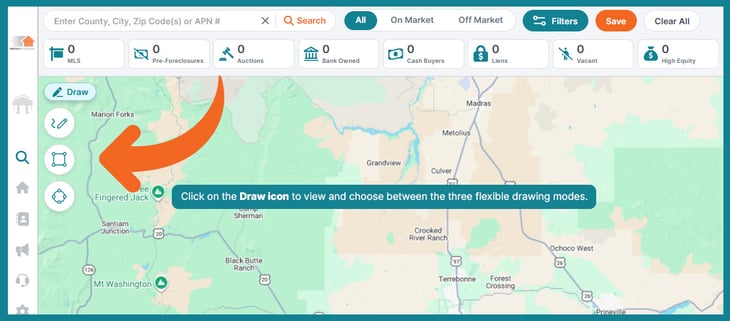
With a single tap on the Draw button, users can choose from three flexible drawing modes—Free Draw, Rectangle, or Circle—giving them precise control over how they define their search area.
Automatic Searching
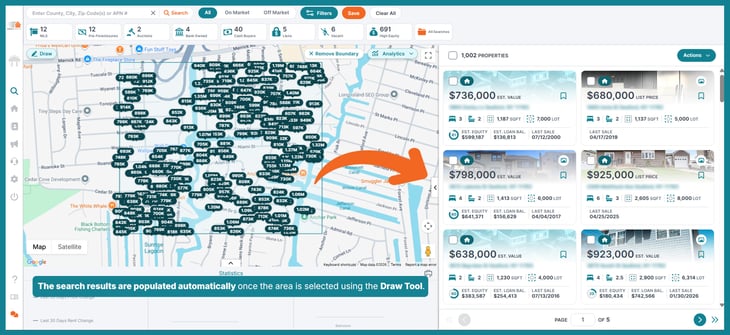
Searches run automatically once the shape is completed, eliminating extra steps and keeping workflows seamless.
Integration
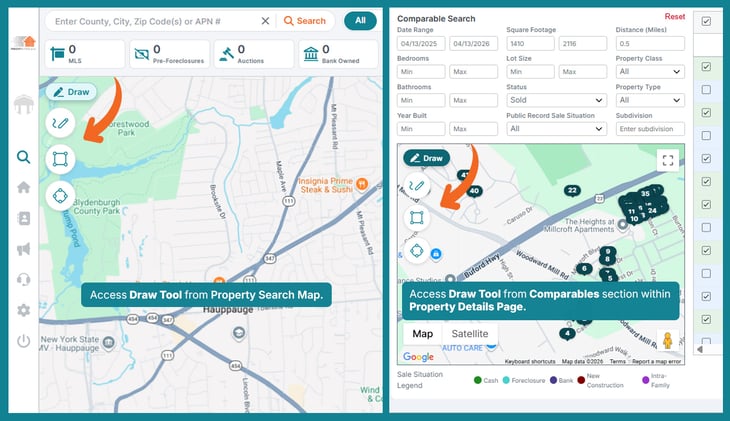
Now fully integrated into both the Property Search Map and the Comparables section within Property Details, users can instantly analyze nearby comps without breaking their flow.
Increased Search Diameter
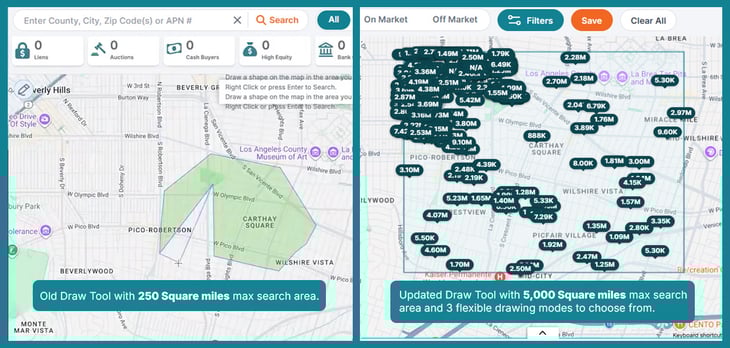
With a major expansion from 250 to 5,000 square miles, this upgrade enables everything from hyper-local targeting to large-scale market analysis—helping users move faster, uncover more opportunities, and make decisions confidently.
Search, Identify, and Connect—Starting With Your Draw Map Tool
Stop searching inside the box. Draw your own boundaries and find off-market deals at record speed.
Claim your 7-day free trial to see why real estate professionals from all backgrounds choose PropStream as their real estate map search tool.