In addition to delivering accurate, up-to-date, and diverse property data, PropStream has always focused on creating a user experience that saves time, improves ease of use, and keeps workflows intuitive. Every enhancement is designed to reduce friction and help users move more efficiently from research to taking action.
Click-to-Dial builds on that approach as a built-in calling feature in PropStream, letting you call leads directly from the platform as soon as phone numbers are available. Instead of exporting lists, copying numbers, or switching tools, users can move straight from identifying the right property to starting a live conversation with a single click, keeping the entire workflow in one place.
What is Click-to-Dial and How Does it Work
Once a property or contact has been skip-traced, contact information appears throughout PropStream in places you already use, such as My Properties, My Contacts, and Property Details.
If you’re on Pro or Elite plans, or subscribed to the PropStream Connect add-on, Click-to-Dial turns those phone numbers clickable and ready to dial for both the main account holder and enabled team members. This requires a one-time setup process, which is covered later in this article.
When you click a number:
- A built-in softphone opens inside PropStream.
- The system places a live call immediately.
- AI-powered prompts appear on-screen to guide the conversation.
- You stay on the same screen where you are already working.
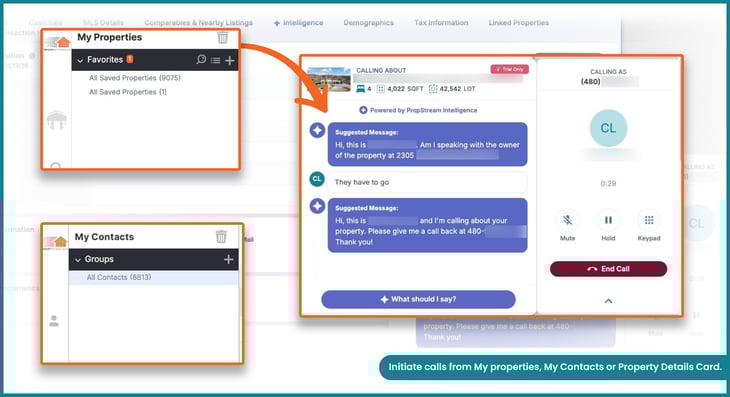
Pro Tip: If multiple phone numbers are available, they are ranked by contact priority (the likelihood of reaching the correct contact), so you can start dialing with the best option first.
How To Set up and Get Started With Click-to-Dial
Explore the step-by-step interactive demo for a hands-on experience.
If you already have PropStream Connect, you can configure your call setup in Account Settings, where you can:
|
Once set up, you can start calling anywhere a phone number appears, such as My Properties, My Contacts, and Property Details.
Pro Tip: If your preferred area code is unavailable, we recommend choosing a nearby area code for better answer rates.
|
If you need to reach more people each day through high-volume calling, explore PropStream’s Push to BatchDialer workflow. Active PropStream users can unlock 20% off any BatchDialer monthly plan by signing up directly through the PropStream app. |
If You Are Not Subscribed To PropStream Connect
If you are a trial user or do not currently have the PropStream Connect add-on, clicking a phone number in PropStream will prompt a simple upgrade flow. You can follow the on-screen steps to activate PropStream Connect and start using Click-to-Dial immediately.
- Available for $30/month for Essentials plan users.
- Included at no additional cost for Pro and Elite plans.
For greater value, upgrading to the Pro plan includes PropStream Connect at no additional cost, along with added benefits such as free skip tracing, Lead Automator, and postcard discounts.
Team Management for Click-to-Dial
Click-to-Dial can be enabled for team members when the primary account has PropStream Connect active and an admin grants access. Below is a step-by-step walkthrough showing how team access works and what users see at each stage.
Step 1: Confirm PropStream Connect Is Active on the Main Account
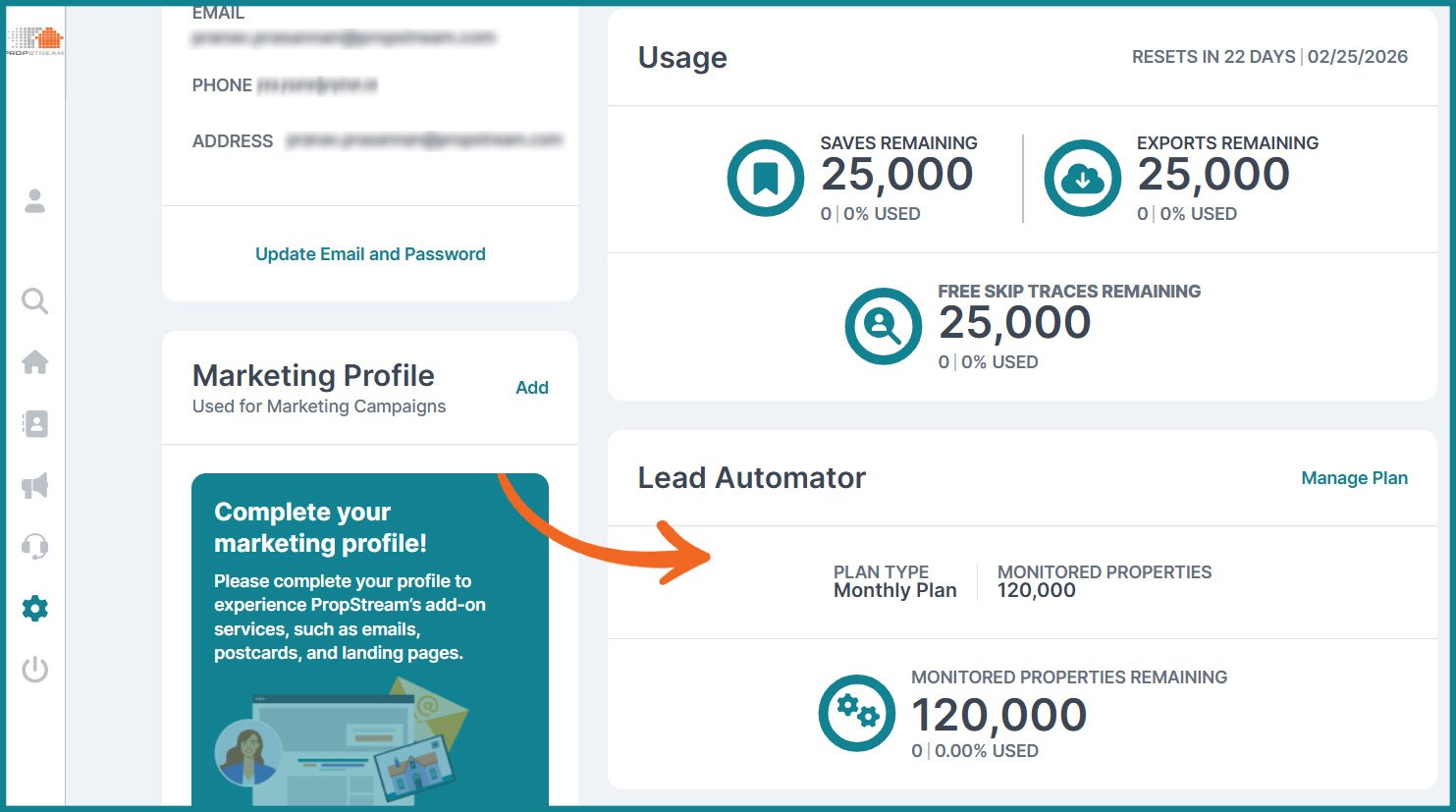
Click-to-Dial is only available when the primary account has the PropStream Connect add-on enabled.
- If PropStream Connect is active, admins can manage Click-to-Dial permissions for full team members.
- If PropStream Connect is not active, Click-to-Dial cannot be enabled for any users.
Step 2: Enable Click-to-Dial Permissions for Team Members
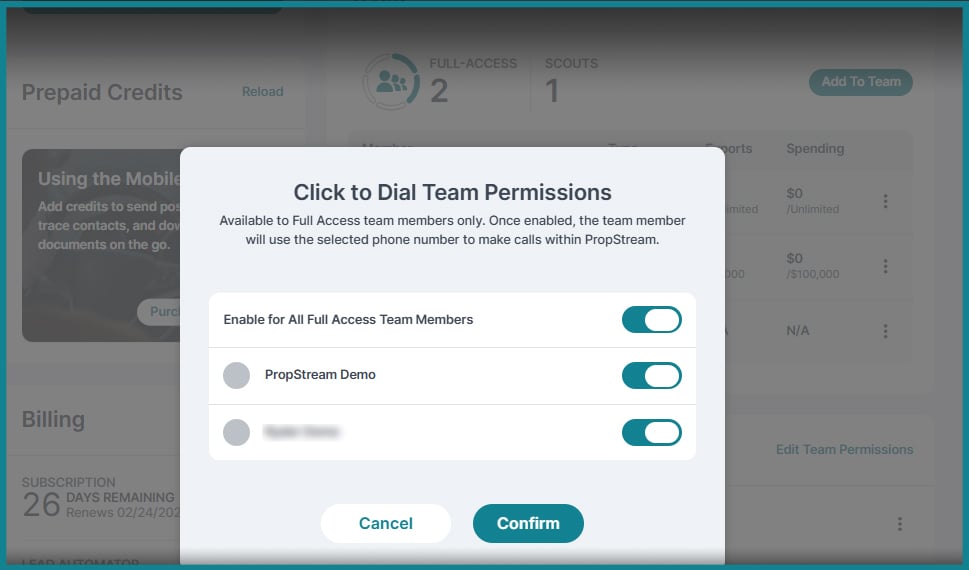
Admins can grant Click-to-Dial access from Account Settings under Team Permissions.
- Navigate to Team Members.
- Edit an existing user or add a new one.
- Check the option to enable Click-to-Dial access.
Only full-access team members are eligible. Users assigned a Scout role must be upgraded before access can be granted.
Step 3: What Team Members See If Access Is Not Enabled
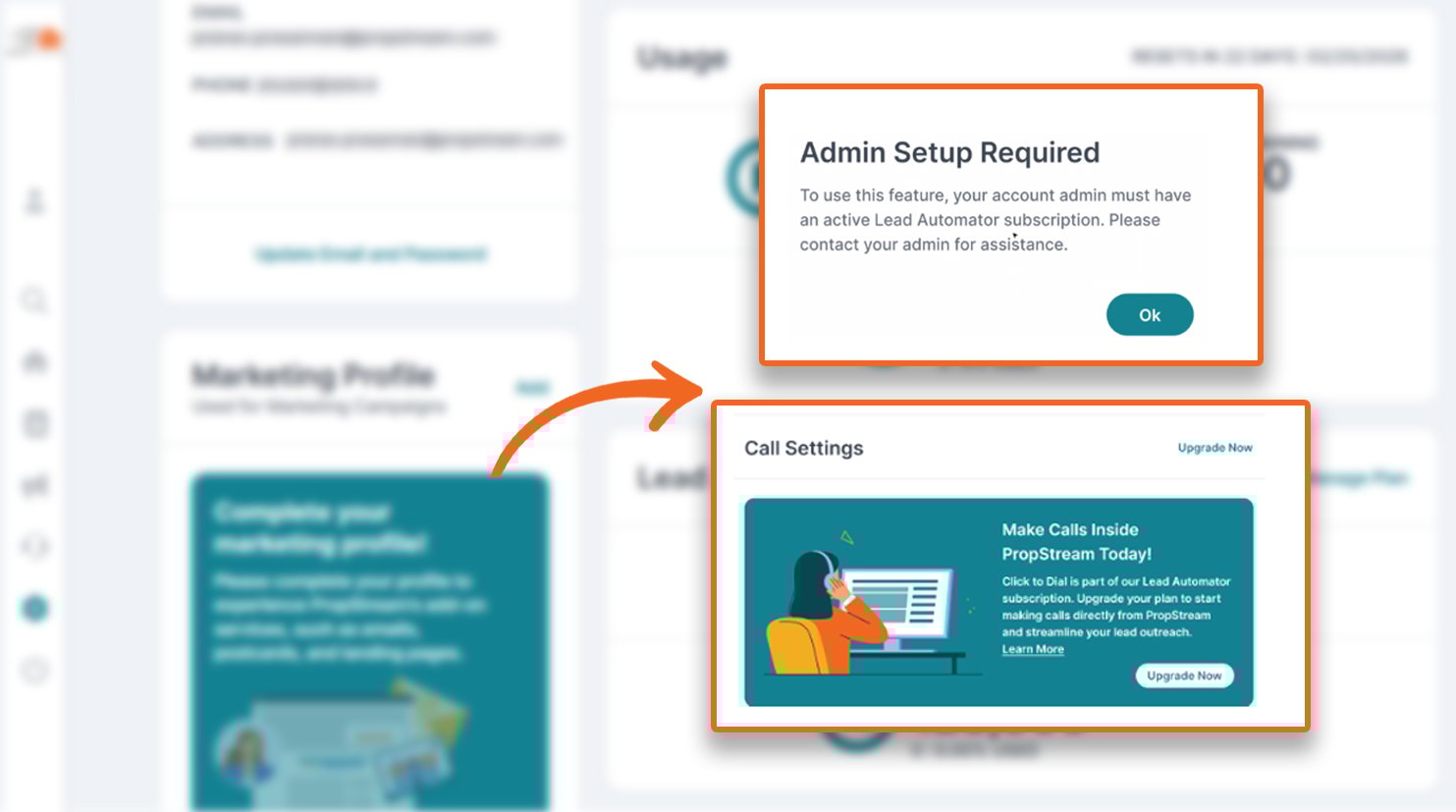
If a team member clicks a phone number before Click-to-Dial is enabled, PropStream displays a clear notification.
- If Click-to-Dial permissions are not enabled, the pop-up instructs the user to contact an admin.
- If PropStream Connect is not active on the account, the pop-up explains that the add-on must be purchased by the primary account holder.
Team Member Calling Experience After Access Is Granted
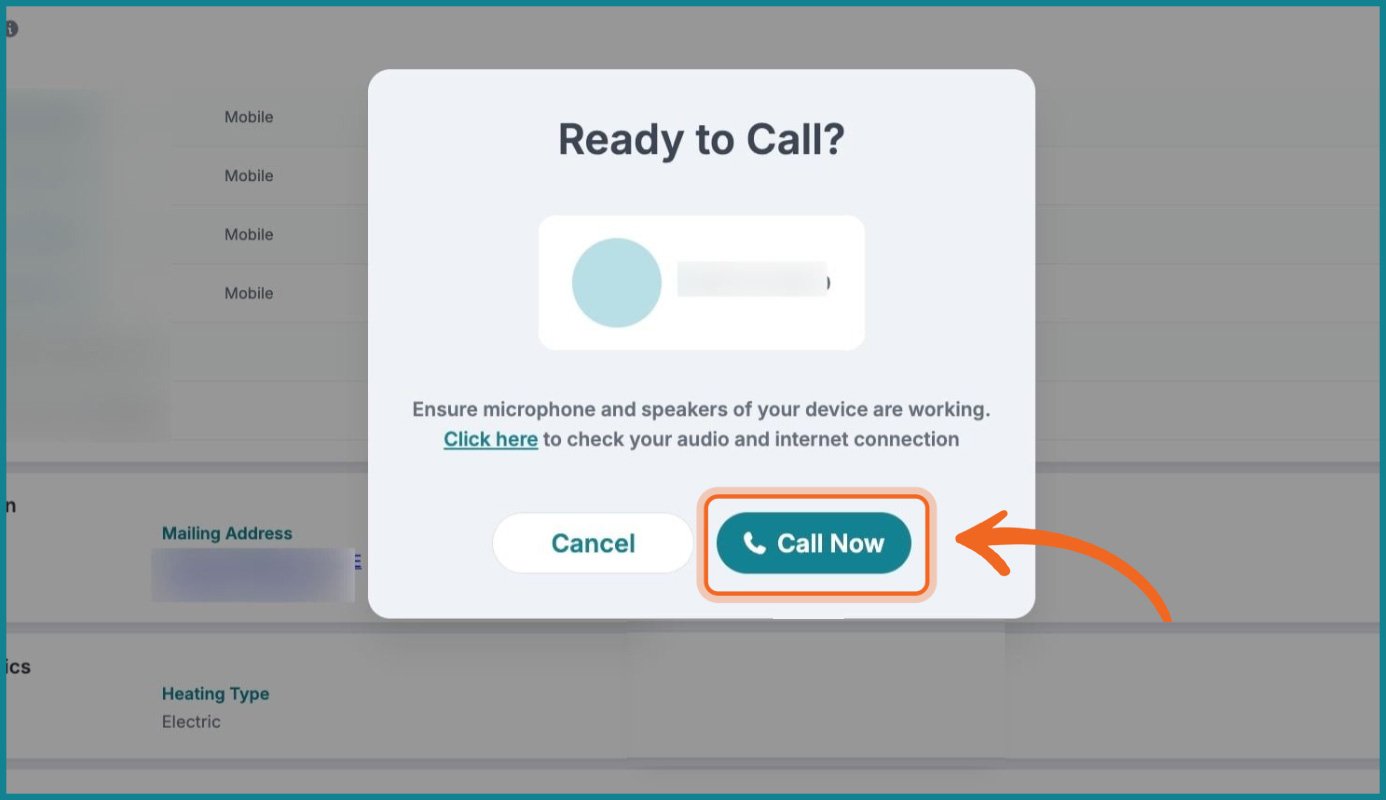
Once permissions are enabled, team members can place calls anywhere a phone number appears in PropStream.
- Phone numbers become clickable in My Properties, My Contacts, and Property Details.
- Clicking a number launches the built-in softphone.
- AI-guided prompts appear during live calls.
| Note: The Click-to-Dial experience is identical for team members and admin users. |
Why Click-to-Dial Matters
Click-to-Dial helps PropStream users act on opportunities when they matter most. By reducing the steps between property research and calling, it removes friction from outreach and makes it easier to respond while the lead's interest is still high.
With Click-to-Dial, users can:
- Follow up faster on newly skip-traced leads.
- Stay organized by keeping calls, notes, and property data connected.
- Work entirely within one platform without switching tools.
- Turn property data into real conversations with less effort.
Whether you are new to calling or already confident on the phone, Click-to-Dial makes it easier to take action when timing matters most.
Click-to-Dial is one of two ways to move from research to outreach in PropStream.
If you need higher call volume, team coaching, and advanced dialing controls, check out the Push to BatchDialer workflow from PropStream, which sends leads directly into BatchDialer campaigns through a native API connection.