Finding the right property is only half the deal. Securing the right financing is equally important when it comes to evaluating opportunities and moving forward with confidence.
That’s why PropStream has partnered with LoanGeek to introduce a new integration that helps investors move from property research to funding faster. With LoanGeek now accessible directly from the Property Details Page in PropStream, users can explore financing options for their deals without disrupting their existing workflow.
What Is LoanGeek?
Founded in 2023, LoanGeek is a real estate financing platform that combines a broker-led approach, curated lender relationships, and technology to support real estate investors throughout the financing process. LoanGeek’s mission is simply to provide hassle-free financing solutions built on trust, transparency, and speed, so investors can focus on executing their deals, not navigating paperwork. In recognition of its approach and industry contribution, LoanGeek was named 2025 Broker of the Year by the National Private Lenders Association.
This integration is ideal for real estate investors, wholesalers, fix-and-flip professionals, and buy-and-hold investors who rely on PropStream to evaluate deals that require financing.
How the LoanGeek Integration Works Inside PropStream
When reviewing a property and considering financing, PropStream users can explore LoanGeek directly from the Property Details Page. The process follows three simple steps.
Step 1: Access LoanGeek From the Property Details Page
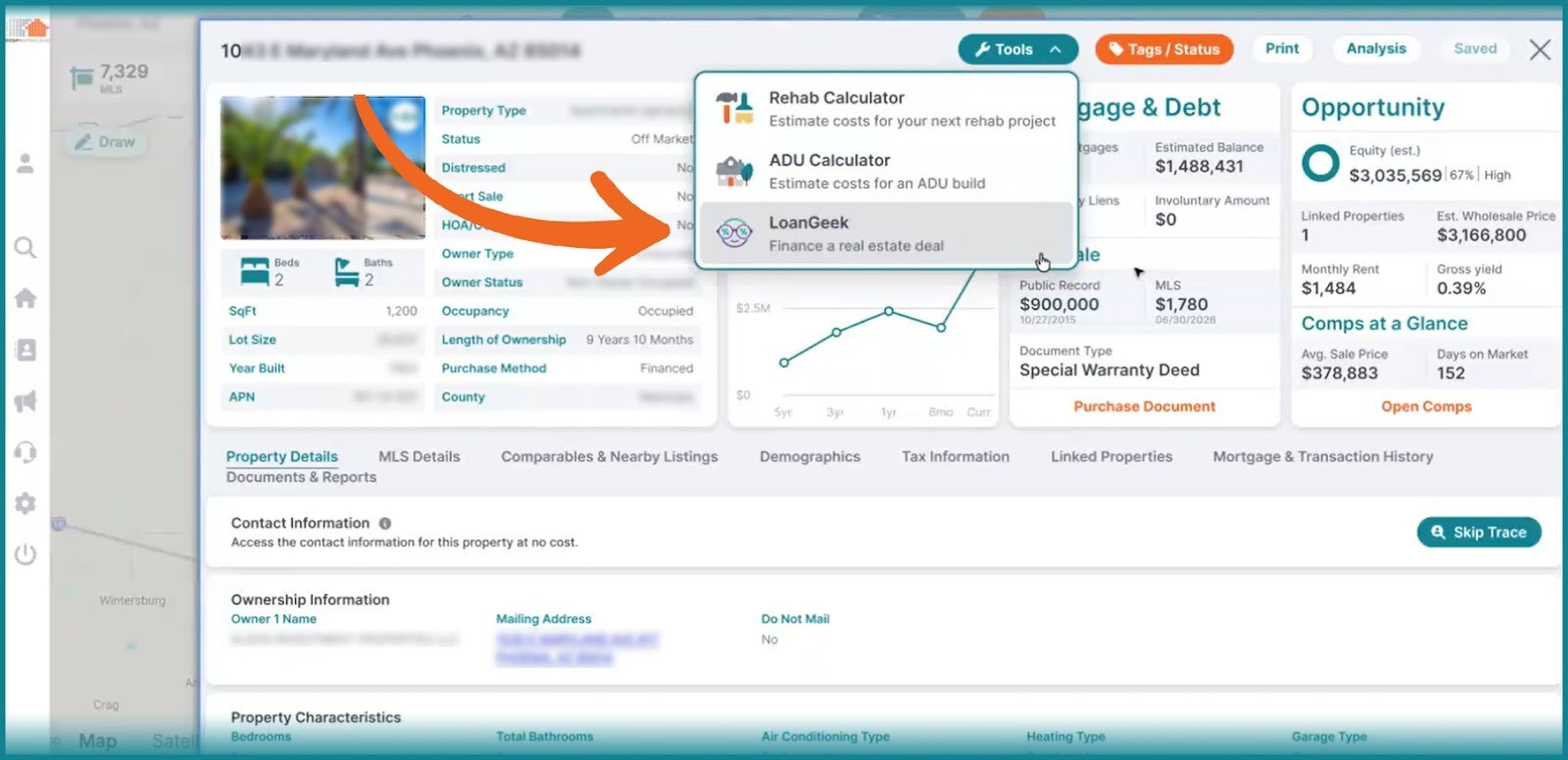
Select a property by opening the Property Details Page and navigating to the Tools section. From the dropdown menu, select LoanGeek to begin exploring financing options for the property you are analyzing.
Step 2: Confirm and Continue to LoanGeek
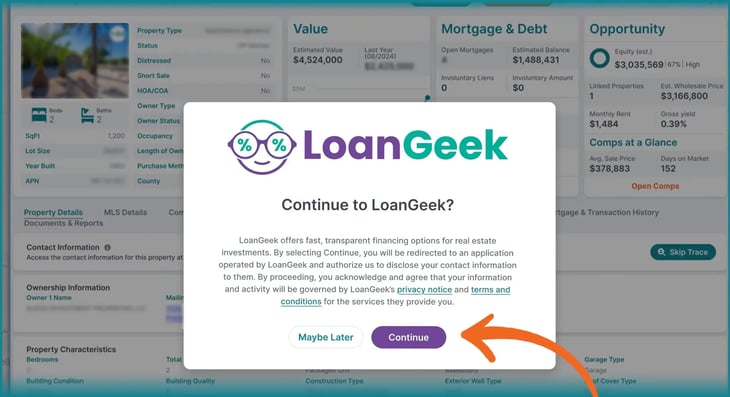
After selecting LoanGeek, a confirmation pop-up appears informing users that they will be redirected outside of PropStream and prompted to review LoanGeek’s privacy notice and terms and conditions. Once confirmed, users can continue to LoanGeek to begin the financing process.
| Note: After being redirected, users may be prompted to create or sign in to a LoanGeek account to continue. A follow-up email regarding the financing inquiry may also be sent to the email address associated with their PropStream account. |
Step 3: Explore Financing Options on LoanGeek
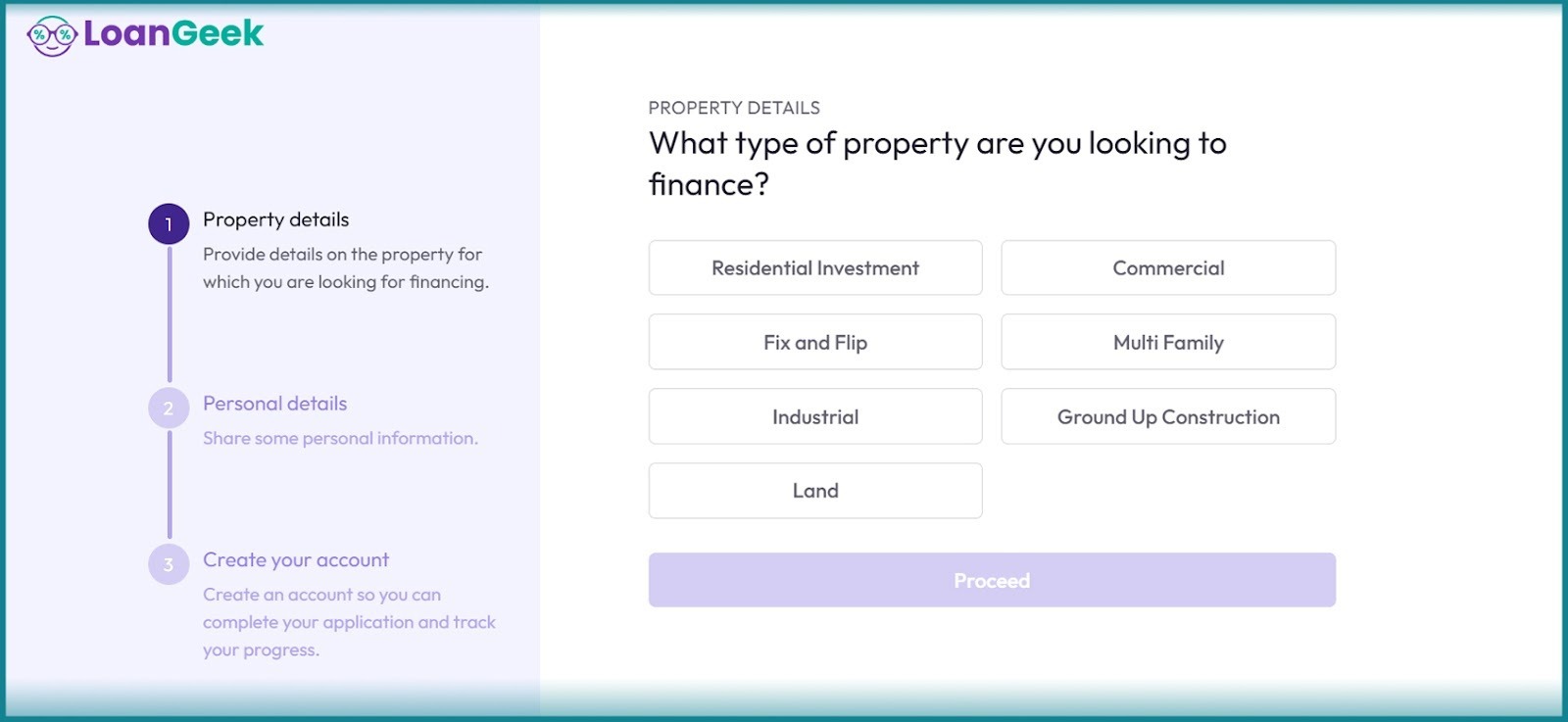
After signing up for or logging in to your LoanGeek account, you will be directed to the LoanGeek landing page. From the page, complete a short, no-obligation form with basic project details. LoanGeek specialists will review the information and present potential loan options from their lender network.
You can compare offers side by side, including interest rates, fees, and terms, to make an informed decision. After selecting a lender and submitting any required documentation, funding may be delivered to your bank account within a few days.
How to Prepare a Deal for Financing Using PropStream and LoanGeek
Before exploring financing options, PropStream users can utilize the following in-app tools to evaluate property value before proceeding with LoanGeek financing. This helps keep estimates realistic and ensures the project aligns with other property values in the area.
|
Pro tip: When reviewing financing options, consider consulting with qualified legal and accounting professionals to better understand obligations, risks, and long-term considerations before moving forward.
Once this information is in place, users can decide whether financing makes sense for the selected property and access LoanGeek directly from the Property Details Page to explore available options.
This integration reflects PropStream’s vision for a more connected ecosystem where research, analysis, and financing work together to support more confident decision-making.